Tutorials
Quick start (15 minutes)
Go from install to a live configurator on one product. Watch the video below, or follow the written steps. Instant checkout protection sets up automatically; you do not configure it by hand.
1.Install and open the app
Install SpecMatrix from the Shopify App Store (or your pilot link). Token exchange is automatic. There is no SpecMatrix signup or password. In Shopify Admin, open Apps, then SpecMatrix. The embedded app lives at /app. A bare browser visit to that URL sends you to an interstitial instead of Admin.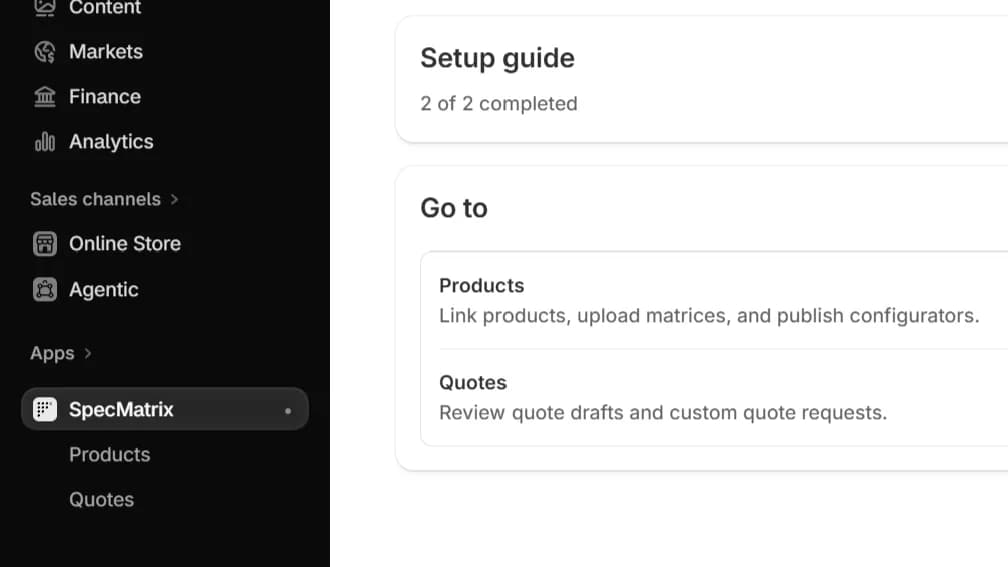
Open SpecMatrix from Apps in Shopify Admin (no separate SpecMatrix login). 2.Set up the product page (theme)
On Home, start with Set up the product page. Create an alternate product template (do not edit Default for the whole catalog), add the SpecMatrix app block, and hide native Price and Buy on that template only. Save in the theme editor, then return to SpecMatrix and run Check setup. Full detail: Theme setup.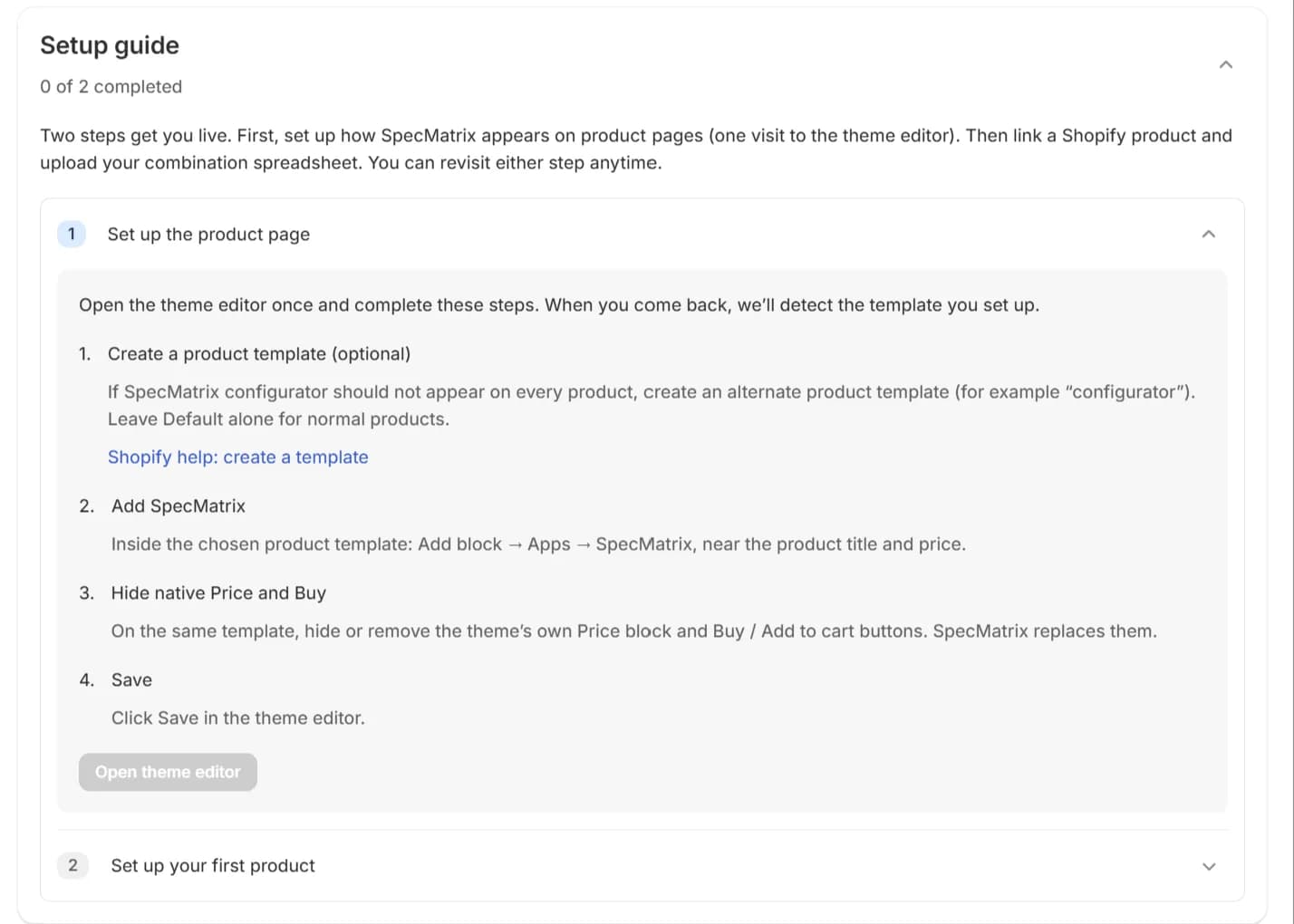
Home shows a two-step Setup guide: product page, then your first product. 3.Link a product and upload your matrix
Choose Set up your first product: link a Shopify product, pick Instant or Quote, upload CSV or Excel, map columns, and validate. Prefer a single default variant on that product (no native Shopify options for matrix dimensions). Spreadsheet rules: Prepare your spreadsheet. Mode choice: Instant vs Quote.4.Publish and preview
When mapping is confirmed and Instant rows are priced (if Instant), publish. SpecMatrix compiles the matrix for the storefront and assigns the SpecMatrix template when storefront setup is done. Use Preview on storefront. Checklist: Publish checklist.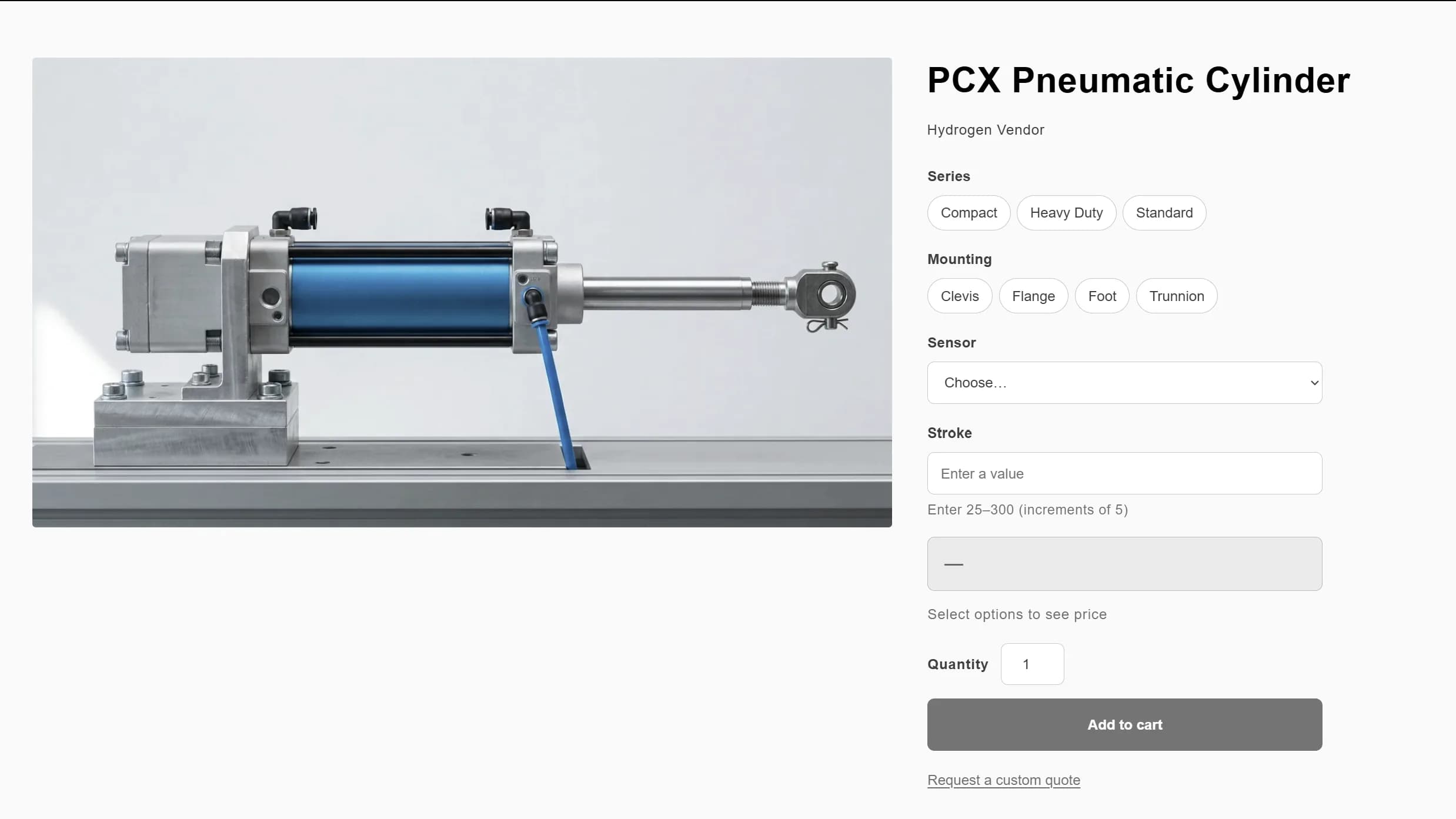
After publish, shoppers see the SpecMatrix configurator on that product. Expected result
Shoppers see the SpecMatrix configurator on that product. Instant adds to the native cart at the matrix price. Quote opens a Draft Order path after the shopper requests a quote.
If this fails…
If the configurator is missing on the storefront, finish theme setup and use Preview on storefront (exit Shopify theme preview or try a private window). If Instant publish is blocked, reopen SpecMatrix from Apps in Shopify Admin so Instant checkout protection can finish. Still stuck? See Troubleshooting or Support.