Tutorials
Theme setup (alternate template)
SpecMatrix never writes theme files. You make one guided visit in the theme editor. Online Store 2.0 with app-block support is required. Vintage themes without @app product sections are unsupported.
1.Create an alternate product template
In the theme editor, create an alternate product template if SpecMatrix should not appear on every product. Do not put SpecMatrix on Default unless you intentionally want it on the entire catalog (warned: Default is shared store-wide).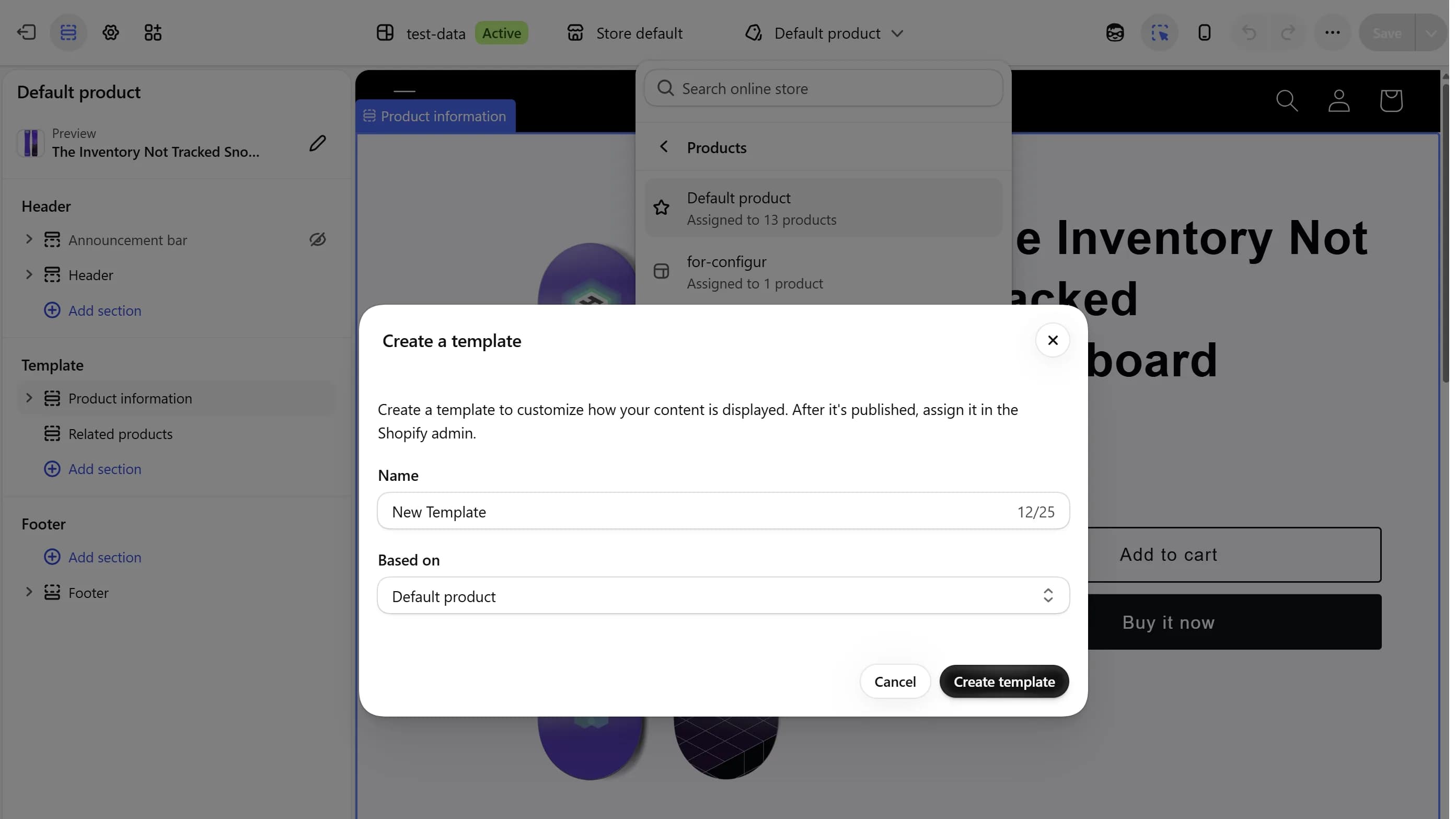
Create a dedicated alternate product template (for example configurator). Leave Default for normal products. 2.Add the SpecMatrix app block
On that template, Add block → Apps → SpecMatrix, near title and price.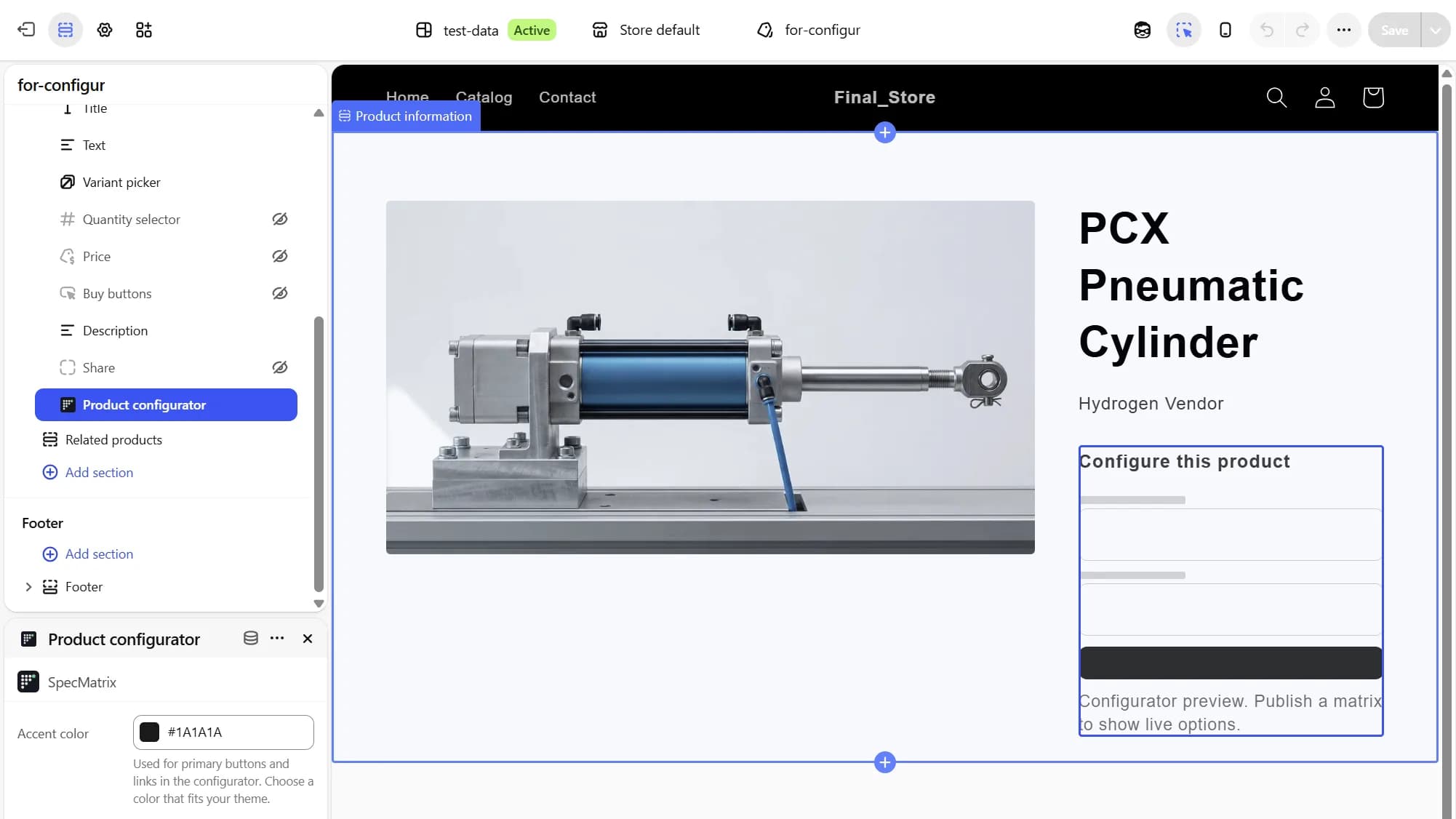
Add block → Apps → SpecMatrix, near the title and price. 3.Hide native Price and Buy
On the same template only, hide or remove the theme’s native Price and Buy / Add to cart blocks so shoppers use SpecMatrix instead of the base variant price.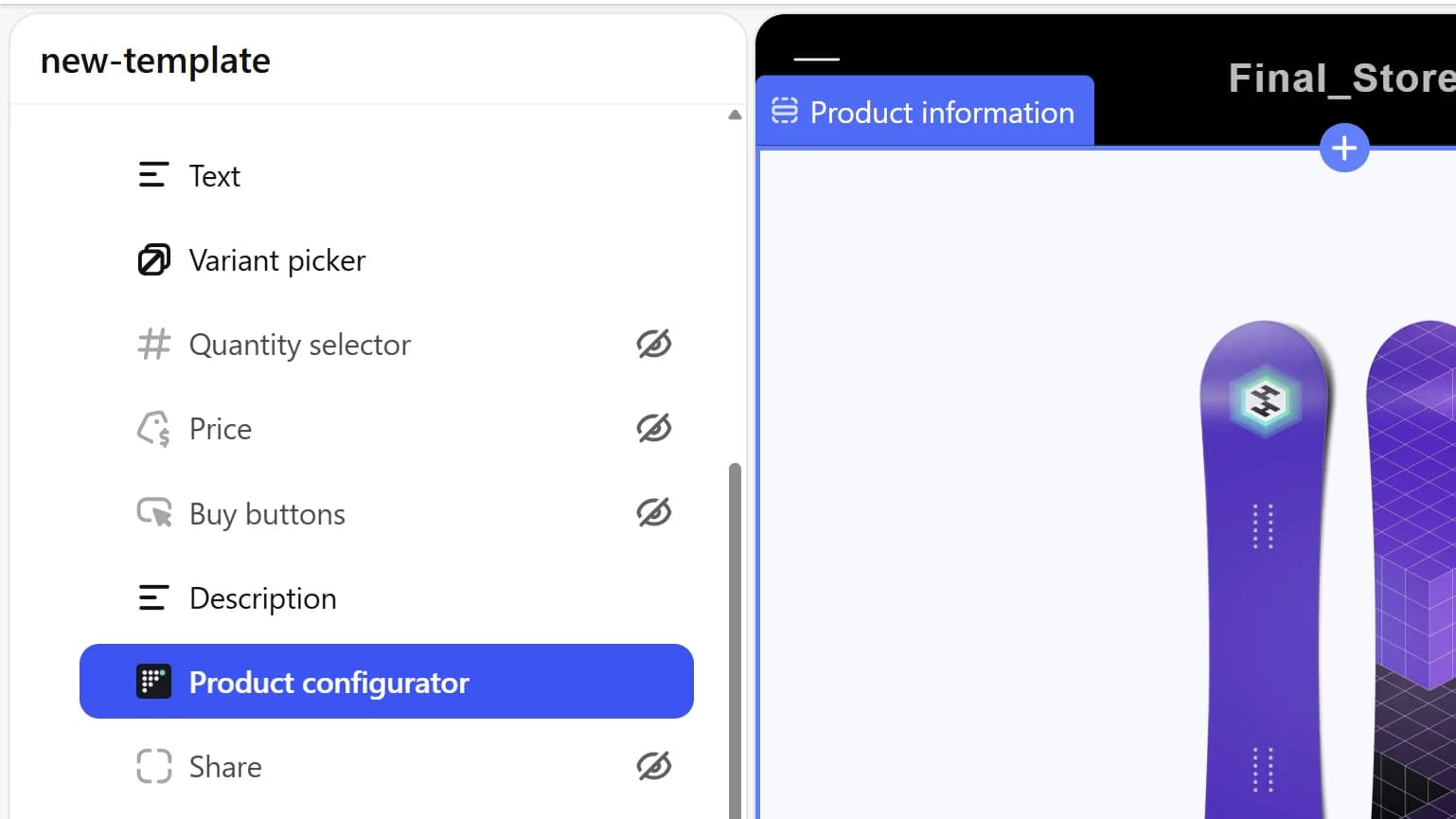
Hide or remove native Price and Buy / Add to cart on that template only, then save. 4.Save the theme
Save in the theme editor. SpecMatrix does not push theme files for you.5.Check setup in SpecMatrix
Back in SpecMatrix, run Check setup. Confirm the detection badges (template file, SpecMatrix block, Price/Buy hidden), then finish. SpecMatrix assigns the template suffix on product link, publish, and when setup is confirmed.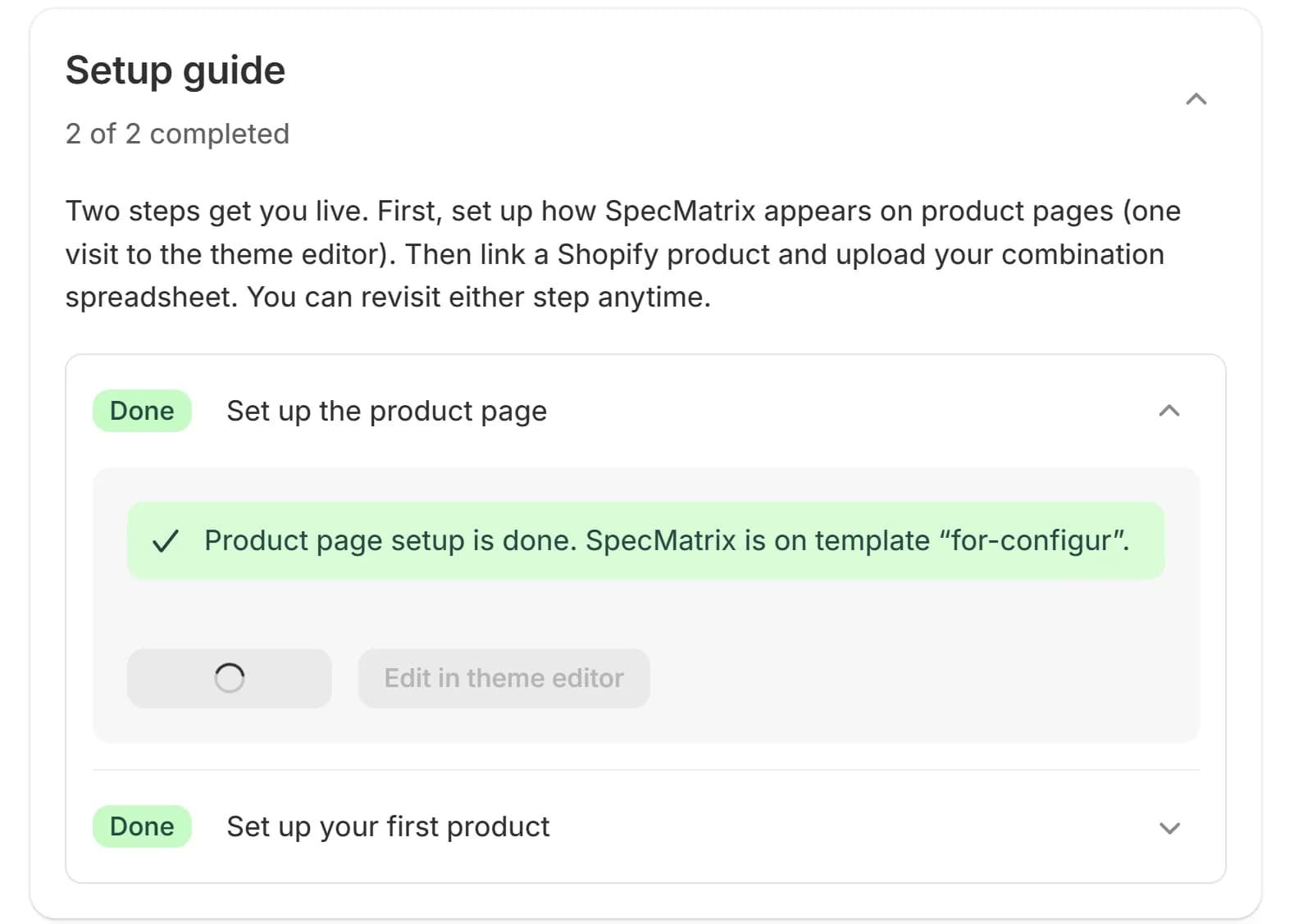
Check setup shows template file, SpecMatrix block, and native Price/Buy hidden. Expected result
Storefront setup is marked complete. Linked SpecMatrix products can use the alternate template. Once Instant checkout protection is ready, incomplete theme setup is a display warning (you can still publish); matrix prices stay protected at checkout.
If this fails…
If Check setup stays incomplete, confirm you edited the alternate template (not a different one), saved the theme, and hid Price/Buy on that template. Template assignment failures show Retry template assignment (needs write_products). Configurator missing only in preview: exit Shopify theme preview. Accidental Default edits can break purchasing store-wide; prefer an alternate template and see Troubleshooting.