Tutorials
Quotes workflow
Quote mode (and custom quote requests) use Shopify Draft Orders. Instant cart orders appear as normal Shopify Orders with configuration as line properties; there is no separate Instant orders inbox in SpecMatrix.
1.Shopper requests a quote
On a Quote-mode product, the shopper completes a valid combination, enters quantity and email, and requests a quote. SpecMatrix creates an open Draft Order tagged SpecMatrix and quote, seeded with the guide price or $0.00.2.Open Quotes in SpecMatrix
Go to Quotes → Quote drafts. Tap a row to open the draft in Shopify Admin.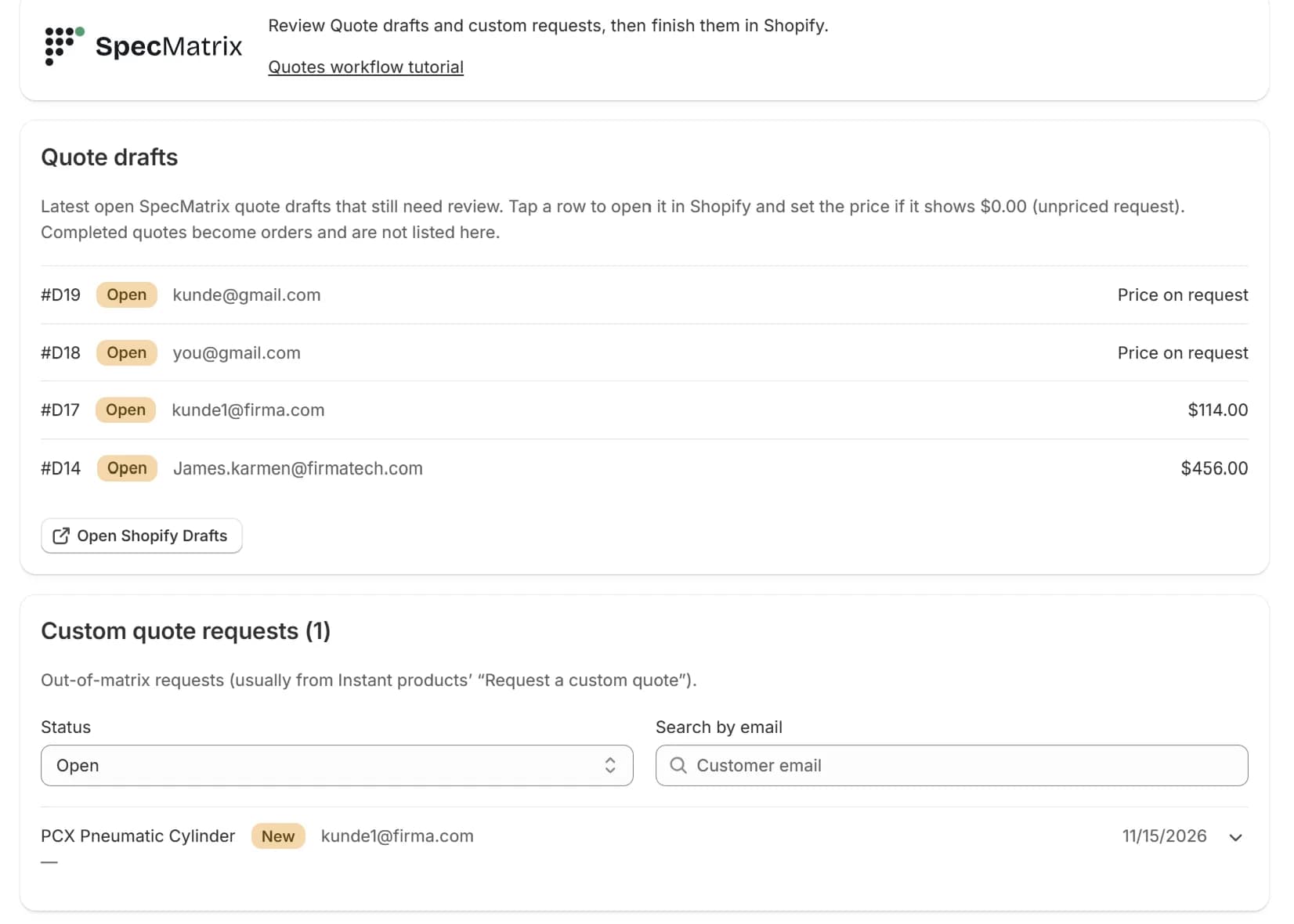
Quotes → Quote drafts lists recent open or invoice-sent Draft Orders. 3.Price and send the invoice
Adjust the line price as needed, then send the invoice so the shopper can pay. When the draft completes, it becomes a normal Order and leaves this inbox.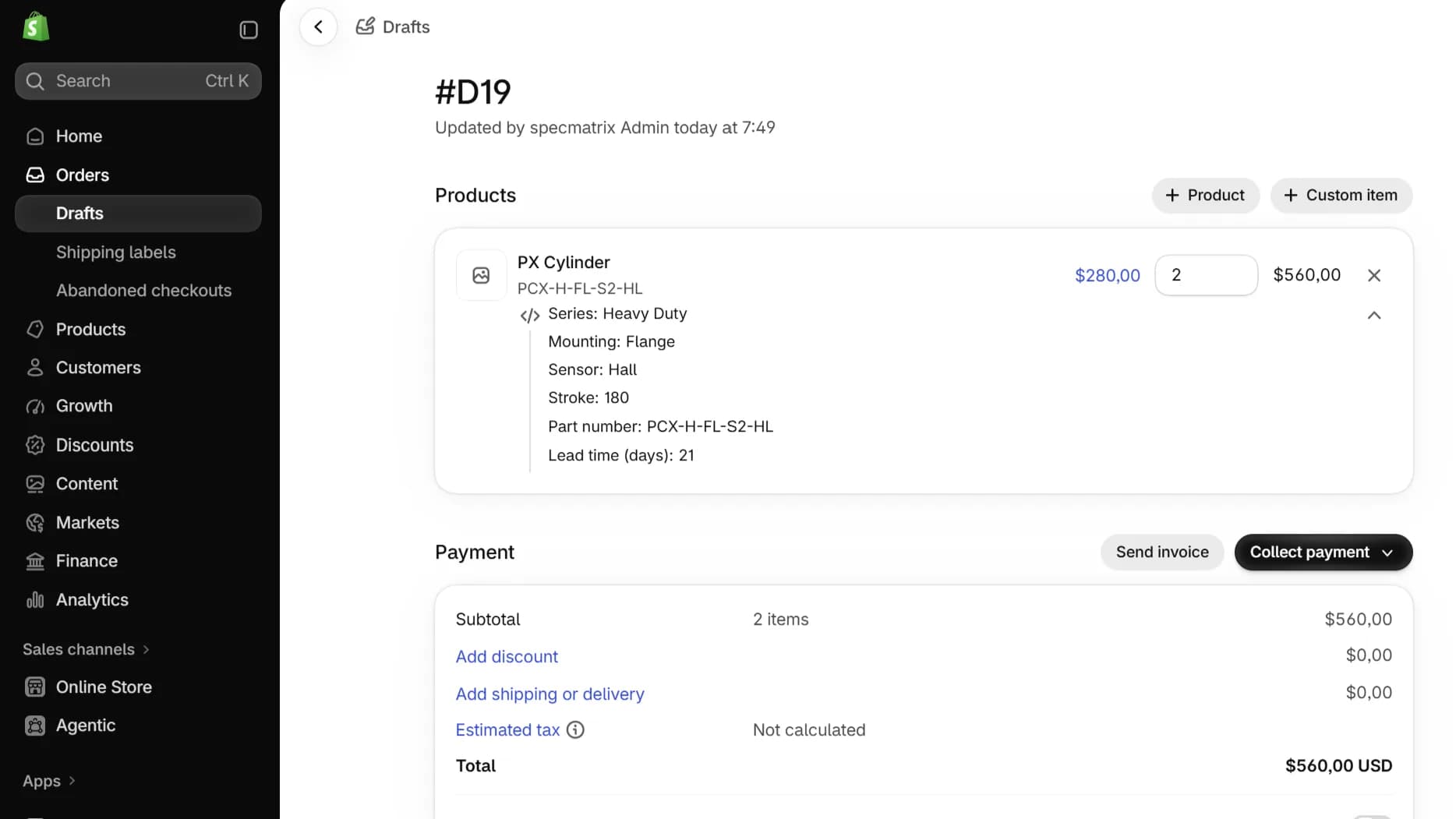
Open the draft in Admin, set the price, and send the invoice. Expected result
The shopper receives a Shopify invoice for the configured line. You track open drafts in SpecMatrix and full history in Shopify Drafts.
4.Handle custom quote requests
Out-of-matrix attempts (including Instant Request a custom quote) land under Custom quote requests on the same Quotes page, separate from Instant cart orders.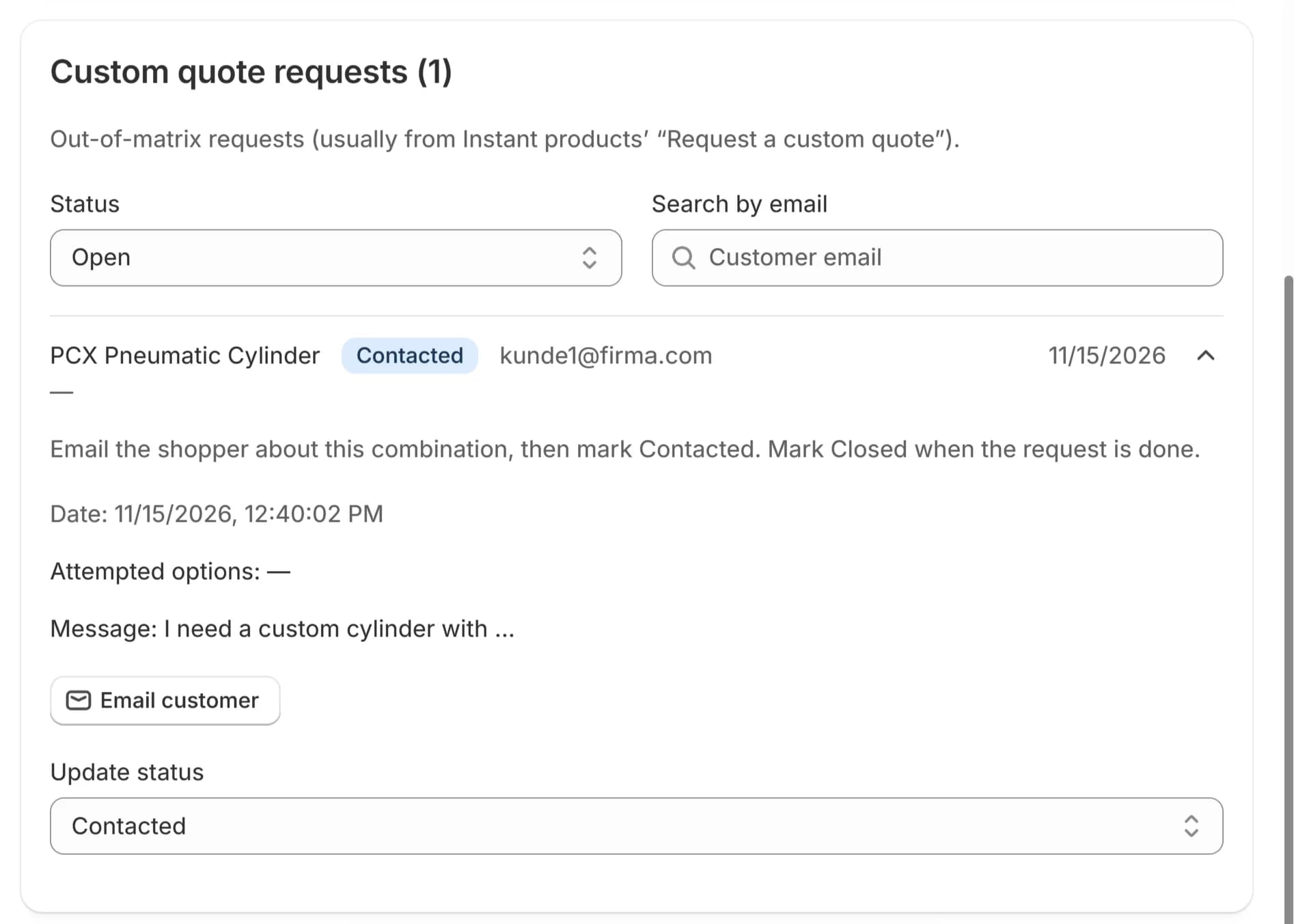
Out-of-matrix attempts appear under Custom quote requests.
If this fails…
Draft not listed: SpecMatrix shows a recent subset of open or invoice-sent drafts. Use Open Shopify Drafts for the full list. Completed drafts become Orders and leave this inbox. Remember Quote checkout is separate from the shopper’s cart. Mode choice: Instant vs Quote.